Nano Banana, decoded: what Google's image model actually nails, choom
Nano Banana is the street name for Google's Gemini image model, preem chrome for quick edits and keeping a subject consistent across pictures, with a few known limits every netrunner should clock.
Nano Banana is the friendly street name for Google’s Gemini image model (Gemini 2.5 Flash Image). It is especially preem at quick edits and at keeping the same subject or character looking consistent across several pictures. Like every image model it can still trip over fine detail, and its outputs may carry an invisible provenance marker, so any netrunner shipping pictures should know what they are jacking into.
What is Nano Banana, really?
It is an image model from Google, part of the Gemini family. The cute name stuck in the community, but under the chrome it is a serious rig for making and editing pictures from text. Think of it as chrome you jack straight into your workflow, no ripperdoc required.
The thing chooms clock first is speed and steadiness. You can ask for a change, see it fast, ask for another, and the subject tends to stay recognisable instead of morphing into a different person each time. That steadiness is what keeps a whole crew iterating without the render flatlining into a stranger.
What is it actually good at?
Three strengths come up again and again, and they are all preem:
- Quick edits. Describe the change you want on an existing image and it makes a focused adjustment rather than a whole new scene. No gonk over-corrections.
- Character consistency. Keep the same person, pet or mascot looking like themselves across a set of images. That is genuinely hard chrome, and Nano Banana handles it nova.
- Fast iteration. Because turns are quick, you can nudge, compare and refine without long waits, which is how good images usually get made. A netrunner stays in flow instead of waiting on the rig.
That combo makes it a comfortable pick for storyboards, product shots of the same item, or a character you want to reuse across a whole run.
What does a quick edit actually chrome up?
Same source photo, two focused edits, nothing else in the frame touched. Click any image to see it full size.
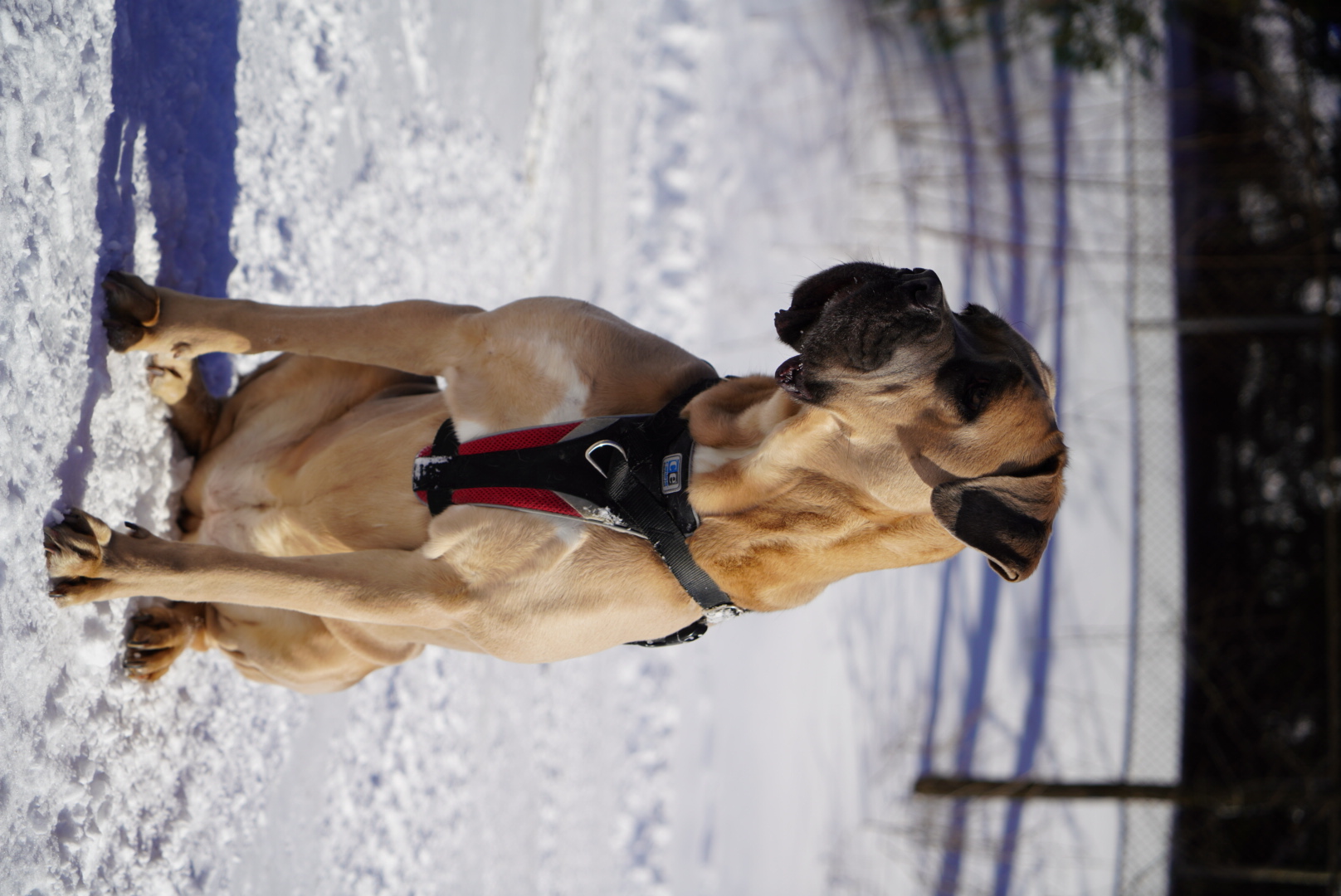 Original
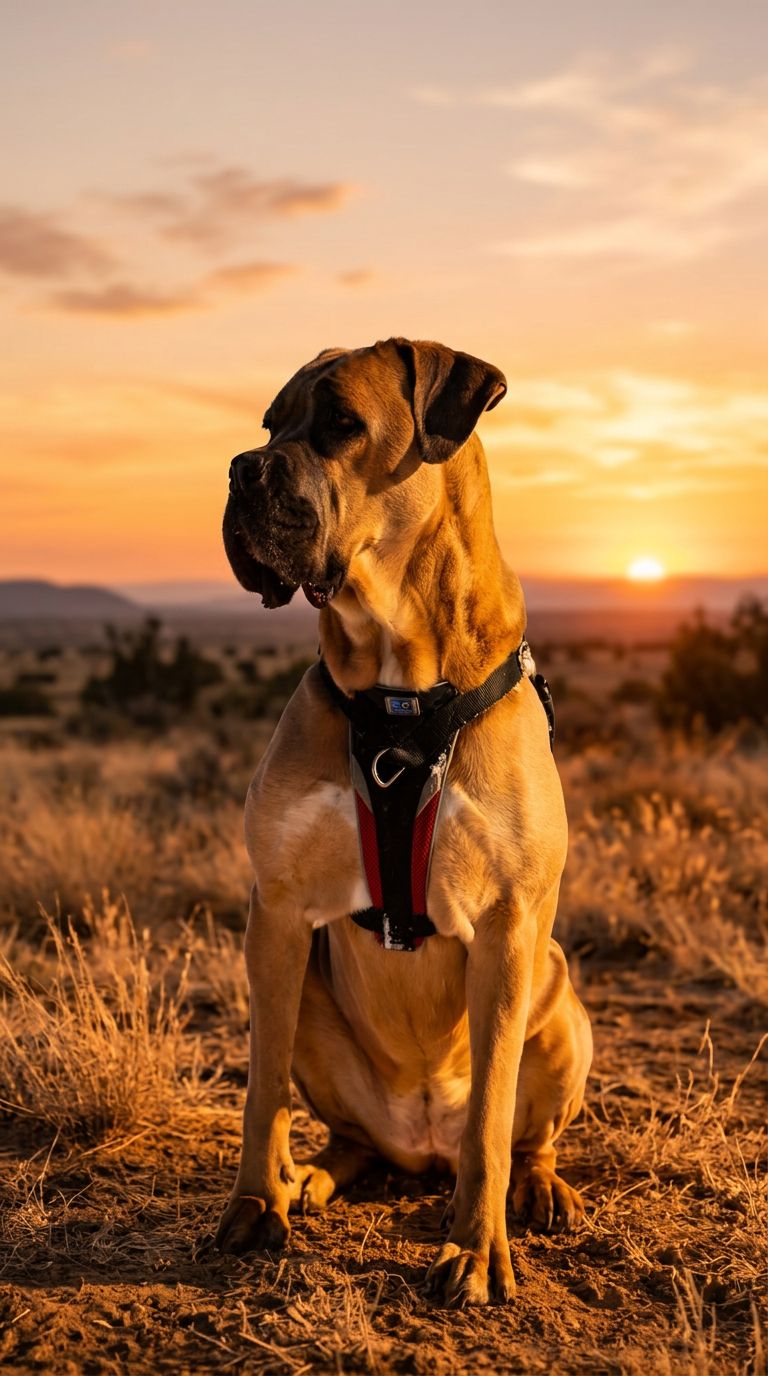 Edit
Edit
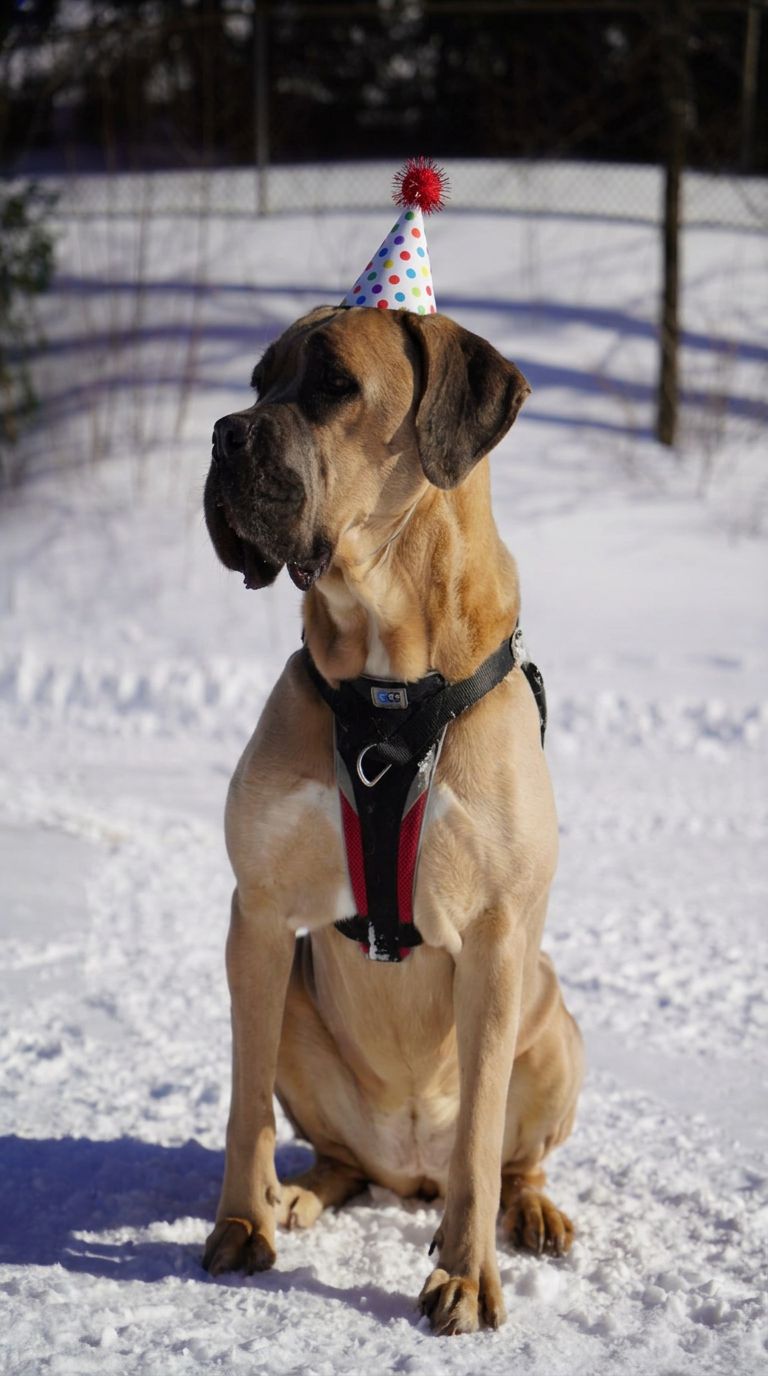 Edit
Edit
Prompt 1: "Change the background to a warm golden-hour sunset. Keep the subject, their pose, and their face exactly as they are." Prompt 2: "Add a small party hat on the subject's head, matching the lighting and angle of the photo. Don't change anything else."
What should I watch out for?
No image model is flawless, and this one is no exception. Even preem chrome has a few spots where it flatlines.
- Fine text and hands. Small lettering and fingers are classic weak spots. Check them close before sharing, choom.
- Fine logos. Detailed brand marks often come out smudged or slightly wrong. Corpo logos in particular take the hit.
- Provenance watermarking. Outputs may carry an invisible marker called SynthID, a quiet daemon riding along in the file. You will not see it, but it can flag the image as AI-generated. Worth knowing if provenance matters for your use.
Can it chrome the art style too?
Yeah, and this is where it stops looking like a filter and starts looking like a real repaint. The trick, choom: a full descriptive paragraph naming the actual medium and technique, plus telling it straight what photographic traits to strip (no camera bokeh, no lens sharpness), not just stacking style adjectives.
Original
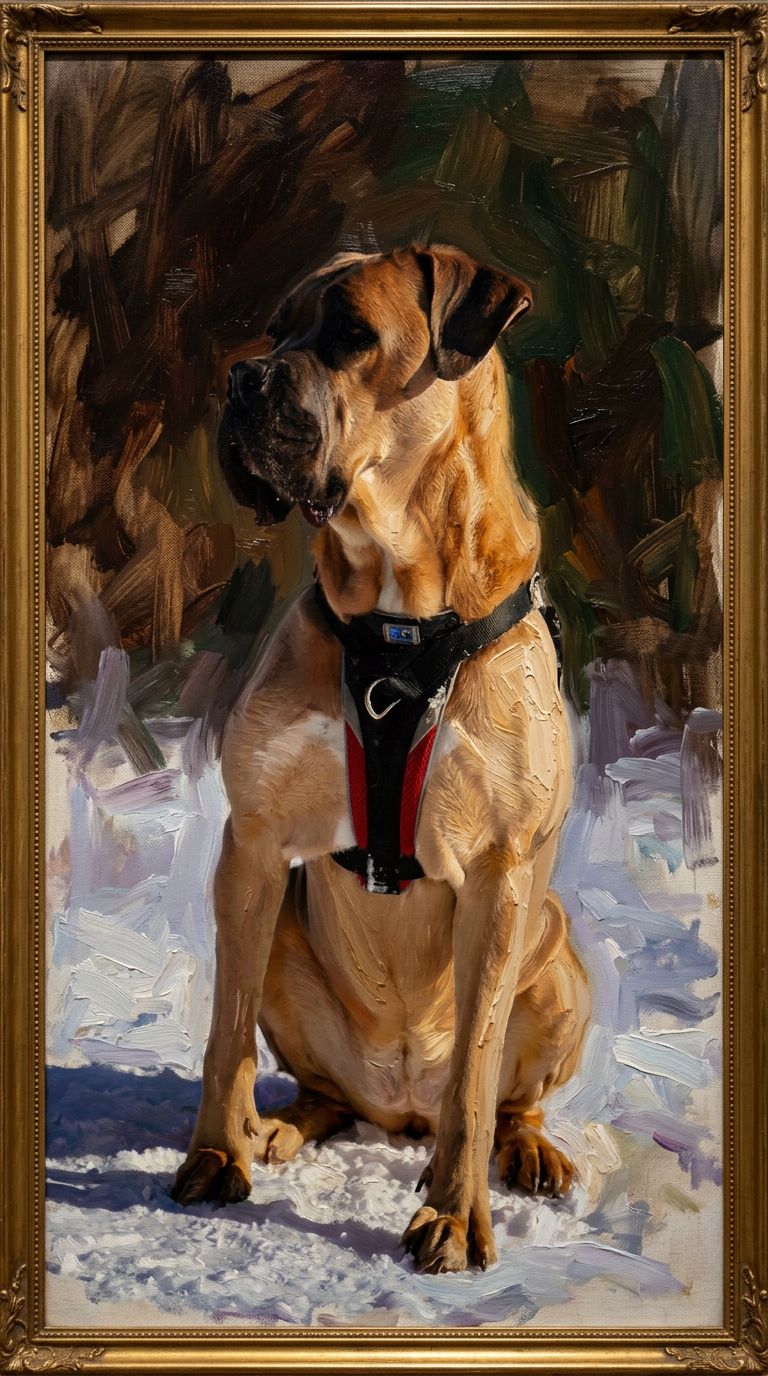 Oil painting
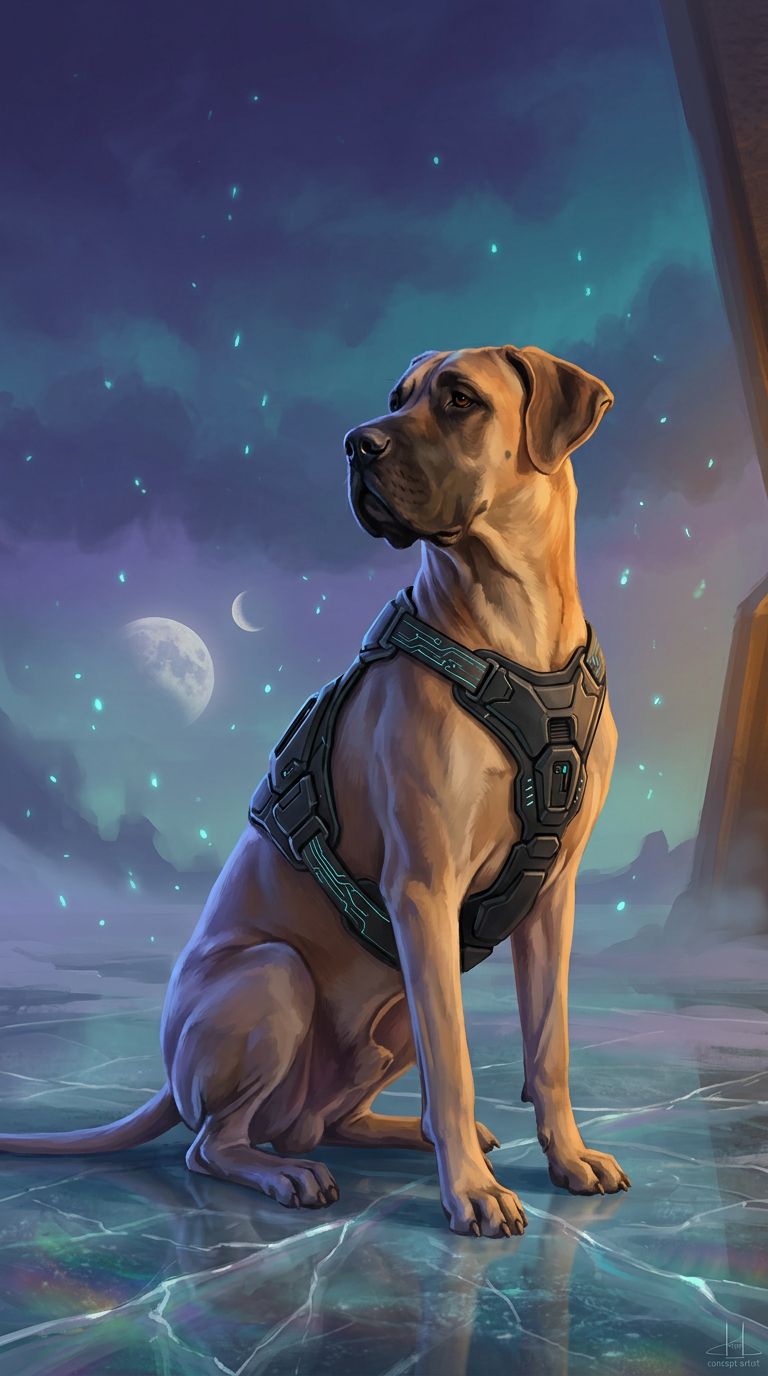 Sci-fi
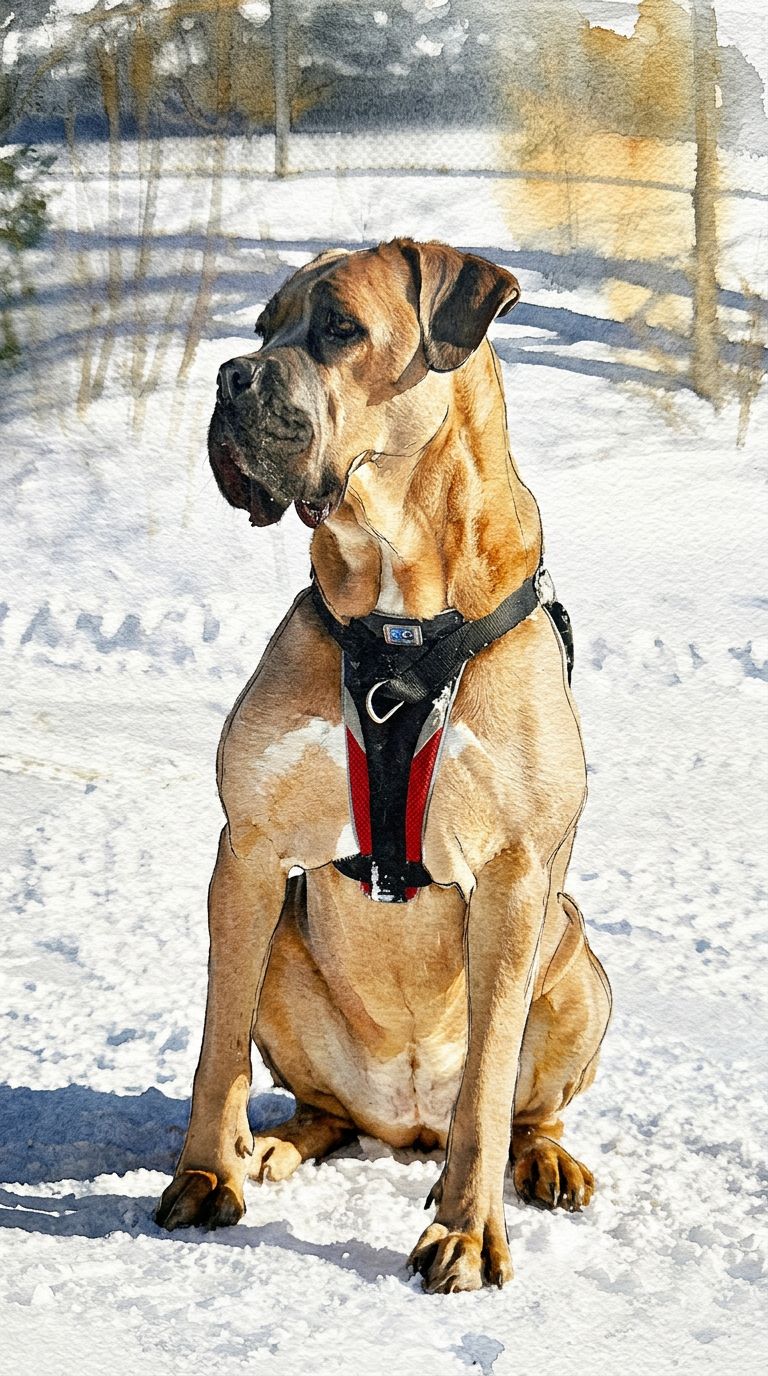 Watercolor
Same source photo, three separate style prompts, each naming a specific technique (Sargent-style portraiture, matte-painted concept art, wet-on-wet watercolor) and explicitly ruling out photographic traits.
It is not limited to editing a photo you feed it either, choom. Ask for a fully generated scene and it holds together just as well: consistent lighting, coherent perspective, readable small details.
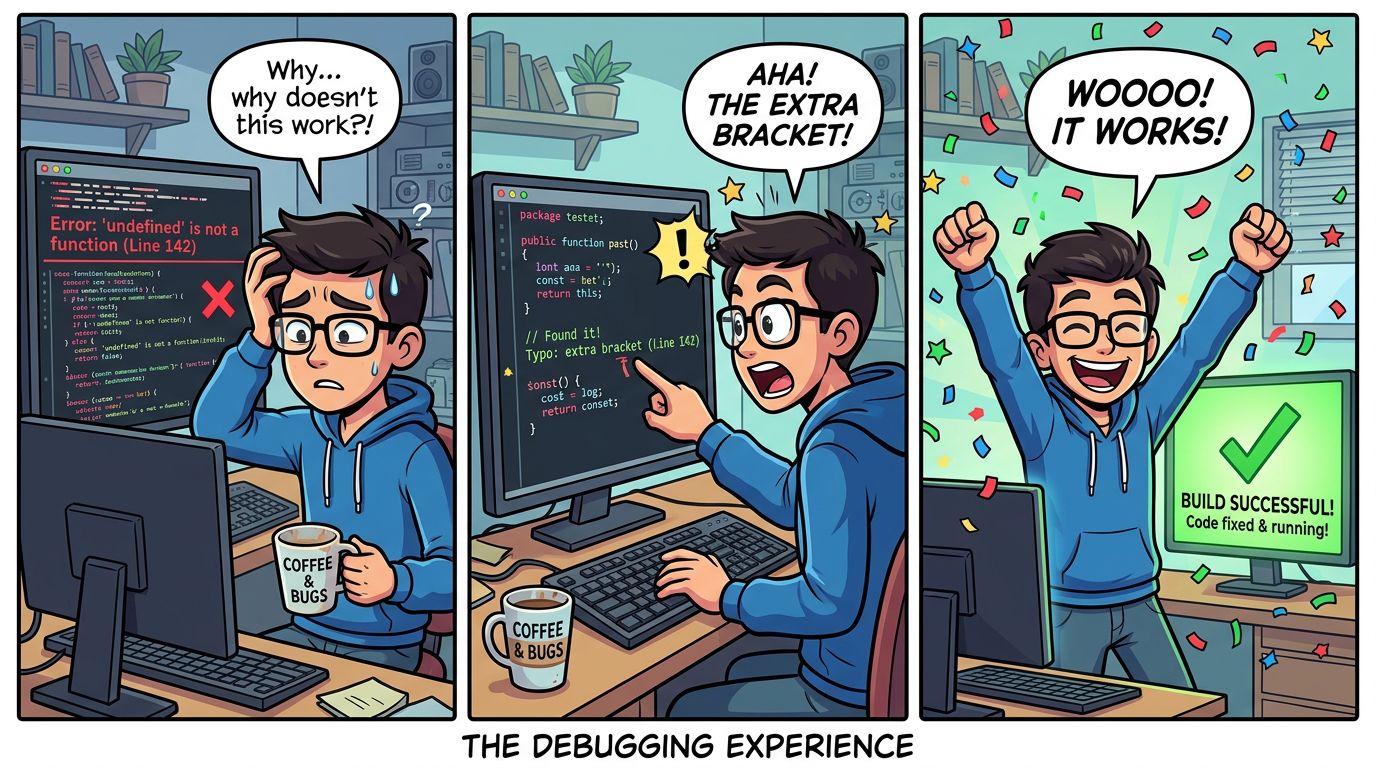
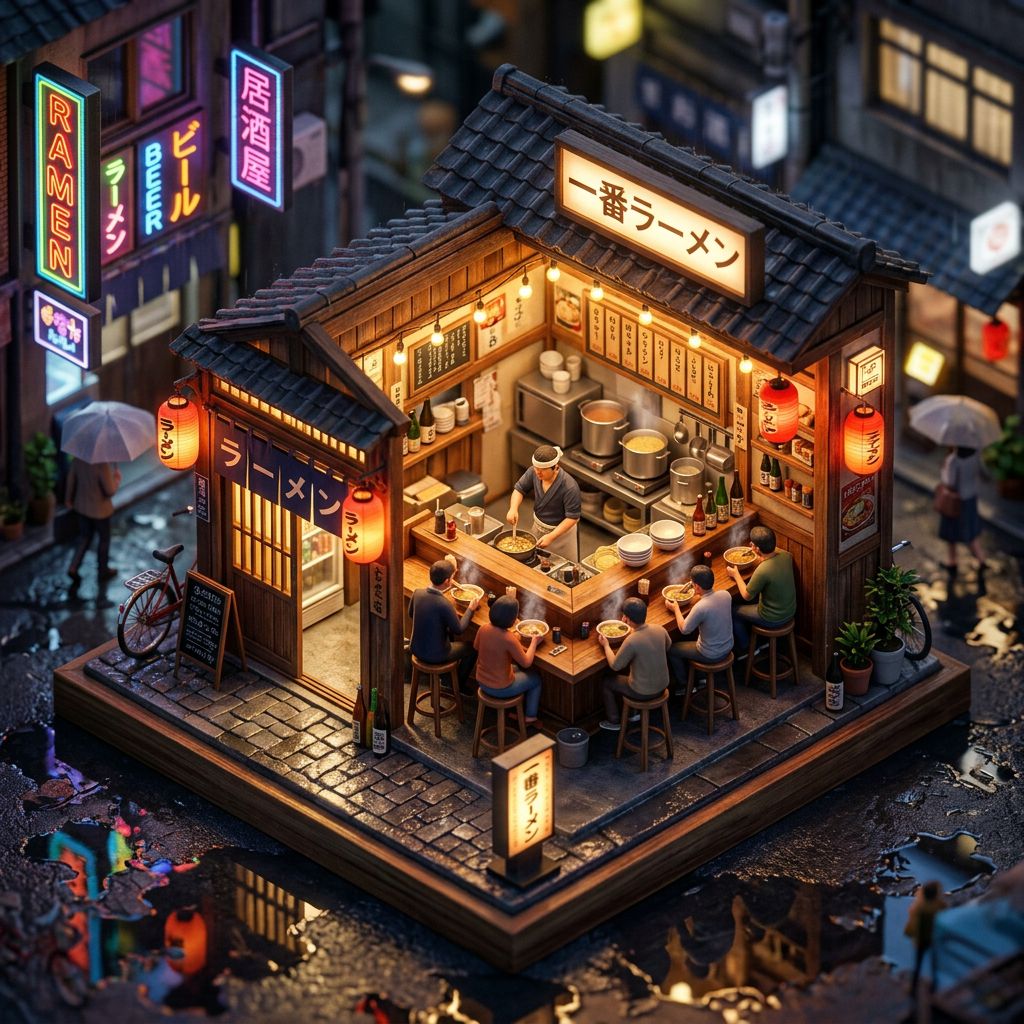
A generated three-panel comic strip, and an isometric diorama scene, neither one an edit of an existing photo.
How do I get access?
A few routes to jack in, depending on how hands-on you want to be:
- The Gemini app, the simplest way to try it by typing a prompt. Zero chrome to install.
- The API, if you are building something and want to wire the rig in programmatically.
- An aggregator like Replicate, handy if you want to mix it with other models in one place without hopping between corpo dashboards.
When would I reach for something else?
Nano Banana is a strong all-rounder, but it is not the only rig in Night City. If you want a very particular art style or a specific recurring look, a small add-on file called a LoRA on top of an open model can give a netrunner finer control. The plain-English guide to understanding LoRAs covers that, and the broader walkthrough of generating images with Replicate and Nano Banana shows how the pieces fit together.
The takeaway: reach for Nano Banana when you want fast, consistent edits with a steady subject, and just keep an eye on hands, text and logos before you hit share. Do that and your crew stays chromed, choom.